TLB GROUP LLC
Mini Projector for Phone, Portable Small 1080P Full HD Supported for Ios/Android/Laptop, Videoprojector Y3 Compatible with Fire Stick, HDMI, USB, PS5, Xbox
Mini Projector for Phone, Portable Small 1080P Full HD Supported for Ios/Android/Laptop, Videoprojector Y3 Compatible with Fire Stick, HDMI, USB, PS5, Xbox
Couldn't load pickup availability
- 【Native 720P, supports Full HD 1080P】 The Y3 mini projector features a native resolution of 1280*720 and a brightness rating of 120 ANSI lumens. It is capable of delivering clear and adequately bright images in low-light environments, making it an excellent choice for children's entertainment and home theater purposes
- 【iOS Wired Direct Connection】Simply use the Lightning cable to quickly connect your device to the projector without complicated setup. The wired connection ensures high-quality video and audio transmission, presenting a clear and detailed picture effect. *You need to purchase Apple's official Lightning/Type C to USB cable*
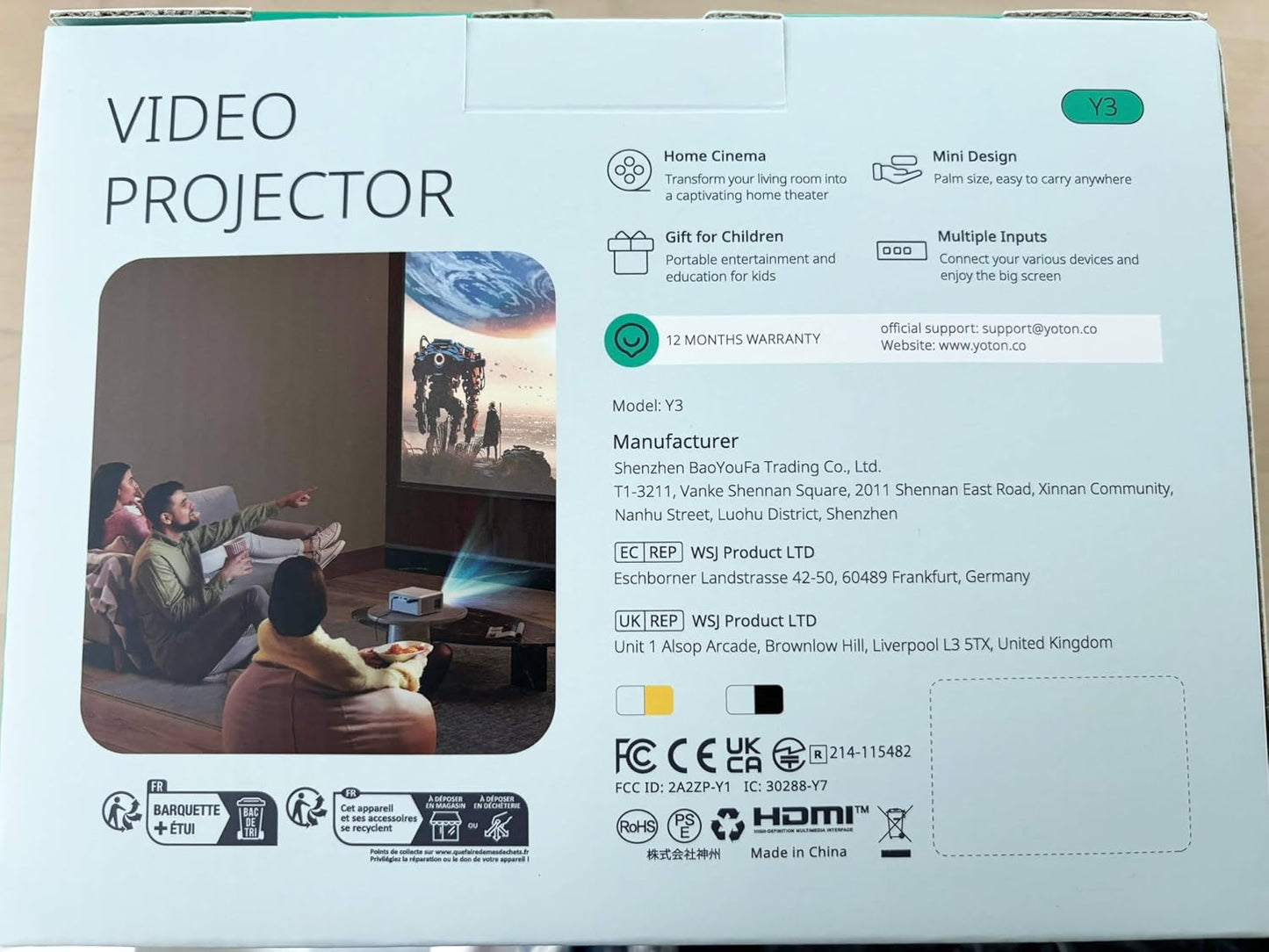
- 【Small and easy to use】This mini projector has dimensions of 13.72x10.92x5.84cm, which is roughly the size of two cola cans. With a weight of 420 grams, it is compact and lightweight, making it easy for even children to hold. Whether you're at home, traveling, or any other location, you can enjoy movies and games with this portable projector
- 【Large screen and zoom function】 The Y3 mini projector can accommodate a projection size of up to 120 inches. The recommended optimal projection size ranges from 30 inches to 100 inches, with an optimal projection distance of 1.3 to 3 meters. Additionally, it features ±15° vertical keystone correction and a 50% zoom function, enabling you to adjust the projection size and distance according to the room size and achieve an optimal visual experience
- 【Multiple interfaces】The Y3 projector is equipped with HDMI, USB, and audio ports, allowing for easy connectivity to a variety of devices such as PCs, TV boxes, Firesticks, PS5, Xbox, USB sticks, DVDs, and other HDMI-compatible devices. It supports plug-and-play functionality, enabling straightforward setup and use. Please note that the Y3 projector does not have built-in WiFi or Bluetooth capabilities
Product Description
The Y3 Upgraded Portable Mini Home Theater Projector
Easy and Fast Connection
✔iPhone wired connection:
You can contact the YOTON to get the Lightning/Type C to USB cable, then select the [iOS Wired Connection] signal source of the projector, and connect your cell phone to the USB port of the projector with the Lightning/Type C to USB cable.
50% Brighter Visuals
In 2023, the Y3 mini projector gets an impressive upgrade. With a native resolution of 1280×720 and 1080P FHD support, the mini projector delivers a 50% brightness boost, ensuring stunning picture quality even in dim environments.
Super Mini Size with Big Screen
Discover the power of portability with the mini projector. Weighing a mere 0.9 lbs and measuring 5.4 × 4.3 × 2.3 inches, the mini projector transforms any space into a 30"-120" on-the-go cinema.
Specifications
- Native Resolution: 1280 x 720
- Brightness: 6500 Lumen
- Projection Size: 30"-120"
- Zoom: 100% ~ 50%
- Voltage: 21 Volts (DC)
- Power Supply AC IN: 100V-240V 50/60HZ
►How to connect the phone projector with other devices?
✔iPhone wired connection:
You can reply to the YOTON to get the Lightning/Type C to USB cable, then select the [iOS Wired Connection] signal source of the projector, and connect your cell phone to the USB port of the projector with the Lightning/Type C to USB cable.
✔Android phone wired connection:
You can reply to YOTON to get the Type C to HDMI cable, then choose the [HDMI] signal source of the projector, and use the Type C to HDMI cable to connect your phone to the HDMI port of the projector.
✔Wireless connection:
You can reply YOTON to get the wireless Dongle for wireless connection.(make sure your mobile phone has screen mirroring/screen projection function). Google mobile phones are not supported.
Please kindly note that the Streaming Platforms such as the Netflix/Amazon App/HBO/Amazon prime/Disney platform do not allow devices to Screen Cast/Mirror their videos due to copyright issues. You can play the videos via *HDMI Connection* with a PC/TV Box, Amazon Fire Stick, and Chromecast.
Equipped with multiple interfaces and strong compatibility, suitable for computers, mobile phones, Fire TV Stick, USB, PS5, Switch
This portable mini projector features multiple interfaces, such as HDMI, USB and AUX, making it suitable for use in various scenarios. In addition, you can connect it to your audio system for an immersive home cinema experience.
- Please note that Netflix, Amazon Prime Video and some similar apps do not support screen mirroring due to copyright protection.
- You can connect a streaming device such as Fire TV Stick or Roku Stick to the projector via the HDMI port.
- Another method is to connect your PC/laptop via the HDMI connection to stream to the mini projector.
- Please note that due to the restrictions of the customer agreement framework, Google phones cannot be connected to the mini projector.
✔ USB connection
- Supported video formats: AVI, MP4, WMV, RMVB, not supported: MKV
- Supported audio formats: AAC, FLAC, MP3, OGG, WAV, WMA;not supported: APE
- Supported image formats: BMP, JPEG, PNG
Multiple mounting methods to save space
- 50% zoom function
Our Y3 mini projector supports screen size adjustments from 100% to 50%, making it suitable for different room sizes and environments. You can use the included remote control to zoom in and out.
- Keystone correction of ±15°
Our projector offers a keystone correction range of ±15°, which helps you correct non-rectangular parts of the screen and quickly get a clear image. With it, you can achieve sharp, realistic and aesthetically appealing projections wherever the projector is installed.
- Arbitrary projection size
With a range of projection sizes from 30 to 120 inches, you can freely adjust the distance between the Y3 portable projector and the wall to suit your preferred projection size (40 to 100 inches is recommended).
►Frequently Asked Questions
1. Why can't I play Netflix/Hulu/Prime Video videos on this mini projector?
Please notice that streaming services do NOT support screen mirroring due to copyright protections. You can hook up a streaming stick like Fire TV Stick or Roku Stick to the projector via HDMI port or use HDMI Cable to connect your PC/Laptop to stream on the mini projector.
2. Why is there no sound when playing video?
Most projectors on the market do not support Dolby audio. If there is no sound, please check if Dolby Audio is turned off. Besides, some files encoded by Dolby/AC3/DTS may not be able to play sound due to copyright issues.
You can turn off Dolby audio on the streaming media like Netflix: Settings > Display & Sounds > Audio > Dolby Digital Output > Dolby Digital (OFF)
3. How do I connect my iPhone to the projector?
You can reply to the YOTON to get the Lightning/Type C to USB cable, then select the [iOS Wired Connection] signal source of the projector, and connect your cell phone to the USB port of the projector with the Lightning/Type C to USB cable.
4. What should I do if the screen shows "no signal"?
Please note that you need to select the appropriate signal source [HDMI] or [USB] after connecting your device to the video projector. If it shows "no signal" at the beginning, you can select the [Back] key on the remote control to return to the main menu and re-select the signal source.
5. After connecting the Firestick to the projector, there is no image display on the projector?
First of all, Y3 projector only supports to output 1080P image at maximum, 4K Firestick is not supported. secondly, when using Firestick, you need to use the USB port of the projector to power up the Firestick, and then select the [HDMI] signal source.
6. What should I do if there is a black spot on the screen?
Since the projector is not sealed, it is relatively common for the dust to enter the lens through the vents or speakers. You can remove the sticker on the bottom center of the projector, then open the black cover and clean it with a cotton swab.
Note: Be careful not to look directly into the light source of the projector.
Share